585 × 559 PNG
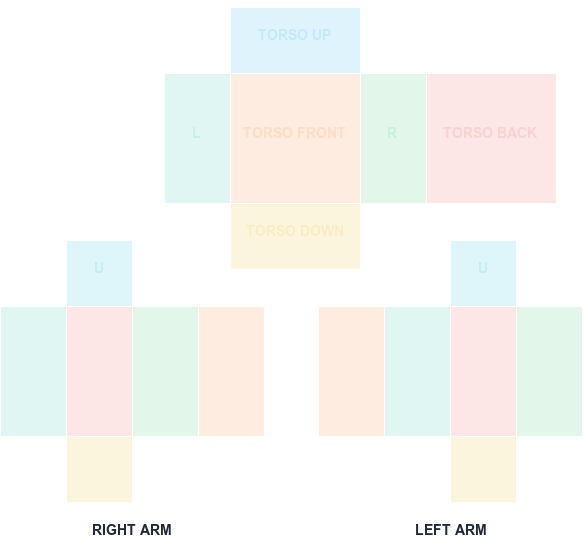
Classic Shirt UV Template
585×559 torso and arm layout with color-coded faces.
Download PNGClassic clothing template guide
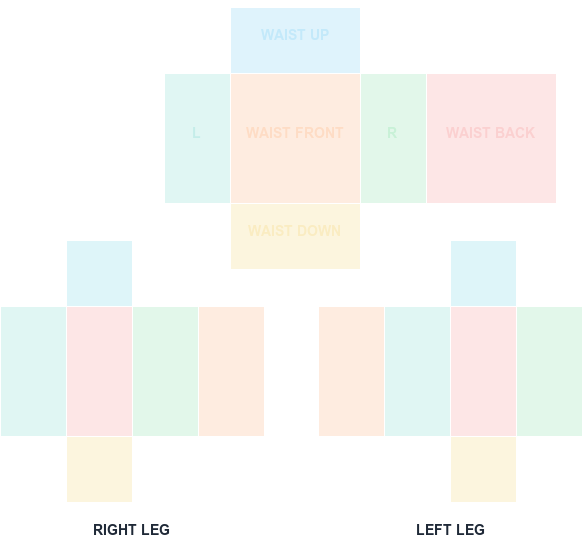
Use a labeled 585×559 canvas to place waist, front, back, side, top, and bottom leg artwork without guessing which rectangle maps to which surface.
585 × 559 PNG
Classic Pants use the same 585×559 canvas size as classic Shirts, but the lower UV islands wrap the avatar legs instead of arms. Shoes and cuffs should stay near the lower parts of the leg panels.
Download the pants PNG, add your artwork on a separate layer, and keep the canvas dimensions unchanged. Preview the texture here for alignment, then test the actual Pants object on a block rig in Studio.
The pants sheet is the same 585x559 canvas as a shirt, but the UV islands wrap legs instead of arms. The labeled download makes the difference obvious before you start painting.
Waistband art belongs near the top of the leg panels and shoe or cuff detail near the bottom. Because both legs are mirrored, an asymmetric detail needs to be painted onto each leg separately.
Preview the sheet here and look at where the side panels meet the front and back. Continuous patterns like stripes or plaid reveal seam misalignment faster than flat colors do.
Hide the guide, export a transparent 585x559 PNG, and test on a block rig in Studio. Pants wrap differently from shirts when the avatar moves, so a static preview is not the final word.
Key numbers for this template
The canvas size is identical, so the file uploads without complaint but maps to the torso and arms instead of the legs. Confirm the asset type in Creator Dashboard before paying the fee.
Text or a logo painted on one leg panel may appear reversed or duplicated on the other. Preview both legs rather than assuming symmetry.
A waistband placed too low reads as a stripe across the thigh once wrapped. Use the guide labels to keep it at the top boundary of the leg islands.
FAQ
Blank canvas files
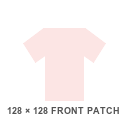
Start with a transparent, Roblox-compatible guide. Shirt and pants wrap around the avatar; the classic T-shirt is a 128×128 front patch.
585×559 torso and arm layout with color-coded faces.
Download PNG585×559 waist and leg layout with face labels.
Download PNG128×128 square front graphic canvas.
Download PNGA clean 585×559 transparent PNG with no guide marks.
Download PNG