585 × 559 PNG
Classic Shirt UV Template
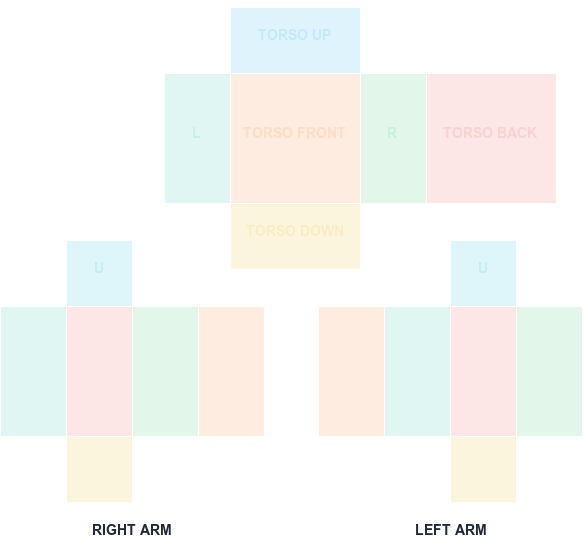
585×559 torso and arm layout with color-coded faces.
Download PNGClassic clothing template guide
The classic shirt UV layout remains a 585×559 canvas in this workflow. This page keeps the high-demand 2025 reference easy to find while documenting the current 2026 editing steps.
585 × 559 PNG
Year labels often appear in searches and old tutorials, but the key technical requirement is the classic clothing canvas and its body-part regions. Do not resize a working 585×559 Shirt or Pants file just because a tutorial is older.
Open the template in your editor, preserve transparency and exact dimensions, preview every face, then test in Studio. Use Creator Dashboard → Avatar Items → Classics for the final upload.
Tutorials labeled 2018, 2025, or 2026 mostly describe the same classic clothing pipeline. What matters is that the Shirt and Pants canvas is 585x559 — verify that rather than trusting a date.
Old template files circulating on forums sometimes carry outdated guides or baked-in watermarks. Start from the clean guide below instead of a re-shared copy.
Whatever year a tutorial was written, the failure mode is identical: resizing the sheet breaks the UV panel boundaries. Keep the canvas locked and edit on layers.
The editing steps are stable but Roblox's upload UI and selling rules have shifted between years. Check the current Creator Dashboard flow rather than following a dated screenshot.
Key numbers for this template
The classic clothing canvas has stayed 585x559 across these tutorial generations. Searching for a year-specific size usually leads to the same specification with different branding.
Menu names and dashboard paths change. The art pipeline in older tutorials is still valid; the click-by-click upload instructions often are not.
Second-hand template files sometimes have guide colors flattened into the image, which then export straight onto the avatar.
FAQ
Blank canvas files
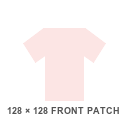
Start with a transparent, Roblox-compatible guide. Shirt and pants wrap around the avatar; the classic T-shirt is a 128×128 front patch.
585×559 torso and arm layout with color-coded faces.
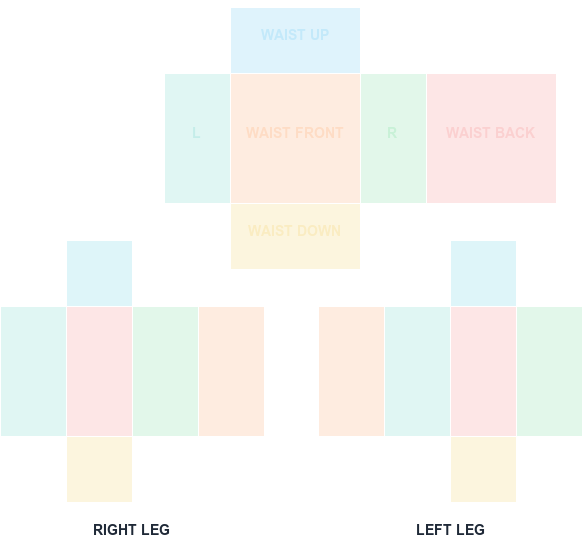
Download PNG585×559 waist and leg layout with face labels.
Download PNG128×128 square front graphic canvas.
Download PNGA clean 585×559 transparent PNG with no guide marks.
Download PNG