Transparent Roblox shirt template with a clean 585×559 canvas
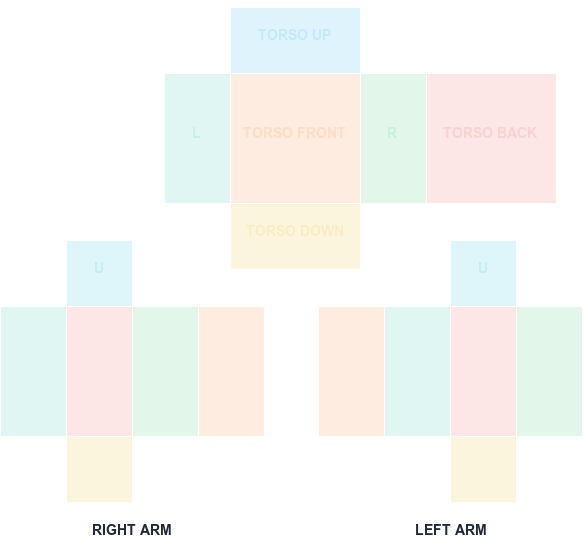
Use the transparent download when you already understand the UV positions and do not want guide colors in your working file.
585 × 559 PNG
Preview and align your shirt PNG
100% in-browser
What this template is for
Transparent pixels leave avatar areas uncovered while opaque pixels carry your design. The canvas itself must remain 585×559 even when large areas contain no visible artwork.
How to use it
Open the transparent PNG in an editor, add the labeled template as a temporary reference layer, paint below it, then hide the guide. Export as PNG so transparency is preserved.
Step by step
1
Download the blank transparent sheet
This version has no guide colors — just an empty 585x559 canvas with a full alpha channel. It suits people who already know where the UV panels sit.
2
Add the labeled guide as a temporary layer
Even when working transparent, dropping the labeled guide on top at low opacity while you position artwork is worth it. Delete the layer before exporting.
3
Leave uncovered areas genuinely transparent
Transparent pixels let avatar skin or an underlying layer show through. This is how sleeveless and cropped designs are made — not by painting skin tones.
4
Export PNG and verify the alpha survived
Open the exported file over a colored background in your editor. If the transparent regions render as white, the alpha channel was lost during export.
Sizes and upload facts
Key numbers for this template
Canvas size
585 × 559
The full classic Shirt sheet. Never resize it.
Torso front / back
128 × 128
The two widest panels — your main design area.
Sides, arm faces
64 × 128
Narrow panels that wrap the torso sides and limbs.
Upload fee
R$10
Charged per classic clothing asset at upload time.
Common mistakes
Exporting as JPG
JPG has no alpha channel. Every transparent region becomes solid white, producing an opaque garment with white patches where gaps should be.
Painting skin tone instead of leaving gaps
A painted skin color will not match every avatar's actual skin tone. Real transparency adapts; a painted approximation does not.
Flattening onto a background layer
Flattening a visible white or colored background into the sheet destroys transparency just as thoroughly as a JPG export does.
FAQ
Questions before you upload
Why did my transparent background turn white?
The editor or export format flattened transparency. Export as PNG with alpha enabled instead of JPEG.
Can a fully transparent 585×559 file be uploaded?
It is a valid blank canvas for editing, but add visible artwork and test the result before attempting a marketplace upload.
Should I leave the colored guides in the final shirt?
No. Use the guides while aligning artwork, then switch them off or hide the guide layer before exporting the clean upload file.
How do I make part of a Roblox shirt transparent?
Erase or mask those pixels so they carry zero alpha, then export as PNG. The avatar's skin or an underlying layer shows through wherever the sheet is transparent.
Why did my transparent areas turn white?
The file was almost certainly exported as JPG or flattened onto a background. Re-export as PNG with the alpha channel preserved.
Can a whole Roblox shirt be transparent?
Technically yes, though a fully transparent sheet renders as no visible garment and may draw moderation attention depending on the resulting avatar appearance.
Blank canvas files
Download a template at the right size
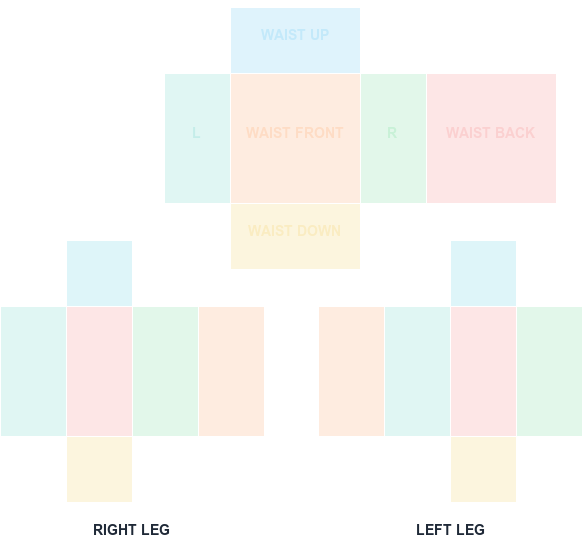
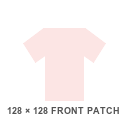
Start with a transparent, Roblox-compatible guide. Shirt and pants wrap around the avatar; the classic T-shirt is a 128×128 front patch.
585 × 559 PNG
Classic Shirt UV Template
585×559 torso and arm layout with color-coded faces.